Humanity calendar sync setup: hourly, two-way, into Google Calendar or Outlook
Humanity's own calendar sync URL is one way, and it only updates when your calendar app decides to fetch it. VenueWiki's Calendar Sync makes it two-way. Here's the setup, start to finish, for the company and for crew.
For the full comparison with Humanity's own link, read the Humanity calendar sync guide.
How the sync works
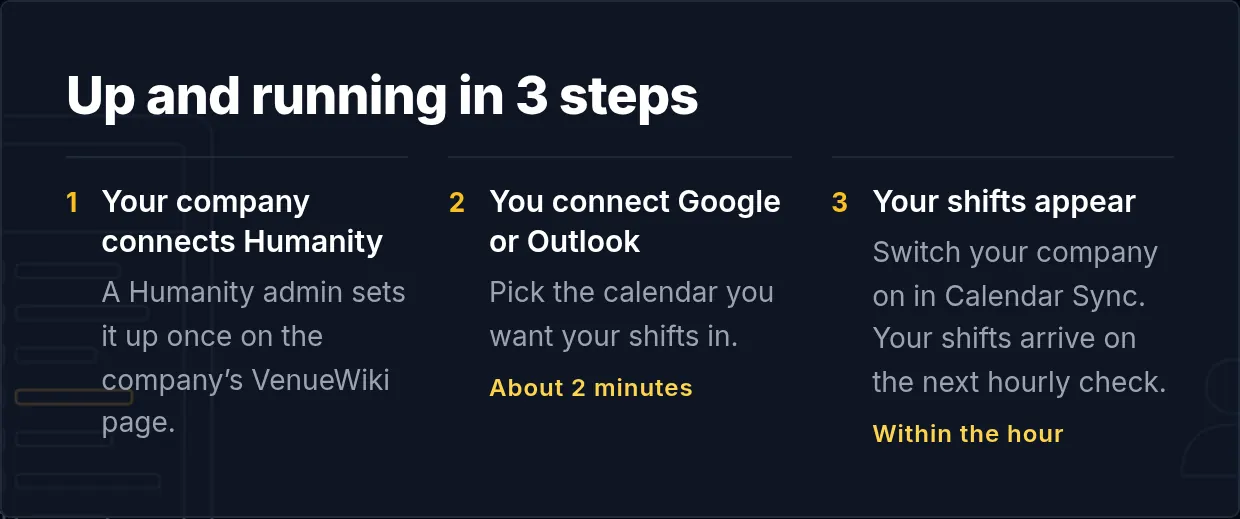
VenueWiki checks Humanity about once an hour and writes your shifts into Google Calendar or Outlook itself. When you first switch a company on, it pulls your shifts straight away. A changed call time updates the event, and a cancelled shift disappears.
Your own calendar goes back the other way. Block out a holiday, the dentist or another gig, and Humanity shows you as unavailable. Humanity gets the dates and a fixed note, "Synced from VenueWiki Calendar Sync", and never the name of the event.
Your company does this once
- In Humanity, create an API application under Settings, then API v2. Any name will do, with the redirect URI https://venuewiki.net and all API options ticked. That gives you an App ID and an App Secret. Availability needs to be switched on in Humanity's settings too.
- On the company's VenueWiki manage page, paste the App ID and App Secret and sign in with a Humanity admin login. VenueWiki uses that login once to get its own token and doesn't keep the password.
- That's it. VenueWiki matches crew by email, and the company appears on each matched crew member's calendar sync page.
Connecting is free for the company.
You do this
- Join VenueWiki. Your first year is free.
- Turn on Calendar Sync at venuewiki.net/calendar-sync. The first 90 days are free, no card needed.
- Connect Google Calendar or Outlook. Two clicks, done.
- Your company appears on your calendar sync page. Switch it on. Make sure the email on your VenueWiki account is the one Humanity has for you, because that's how your shifts find you.
What it costs
Free for the company. Each crew member who syncs needs the AAA Membership, $59 a year with Calendar Sync, VenueTimer, crew membership and member benefits, or the free 90 day trial, no card needed.
Swipe, tap a bottle on the shelf, or use the arrow keys to move along the shelf.