Shift change notifications: know the moment an AV company moves your call time
Occasionally an AV company changes a shift without asking you, or telling you. You said yes to a 10am start — but you can't make an 8 or 9am start, and nobody checked. If a company does the sneaky on you like that, VenueWiki now emails you immediately, and keeps a log of what was changed and when.
The problem
Roster software lets a scheduler drag a shift around with no confirmation step and no notification to the crew on it. Your calendar might update, if you notice; your inbox usually gets nothing. If the new time doesn't work for you, you find out on the day, and it becomes your problem instead of theirs.
What we built
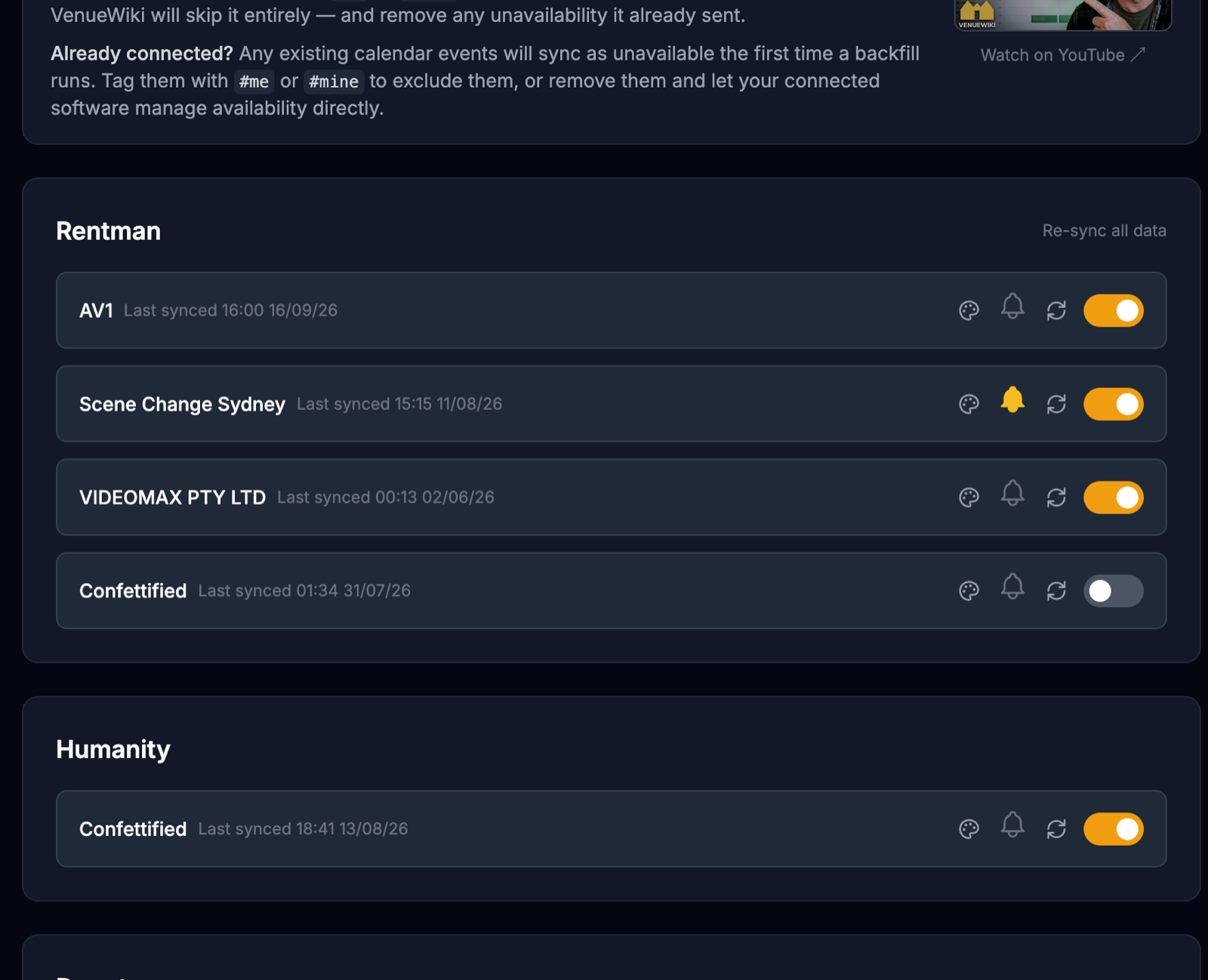
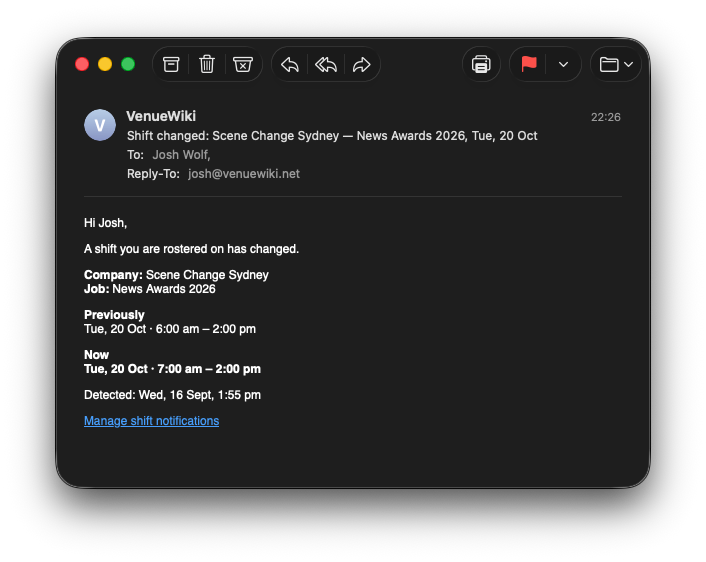
An email, straight away. Turn on the bell next to a company on your calendar-sync page and any change to one of their shifts emails you: the company, the job, what the shift was, what it is now, and the time we caught it. Cancellations too. One email per change, sent the moment we see it — instant for Rentman, within the hour for Humanity and Deputy.
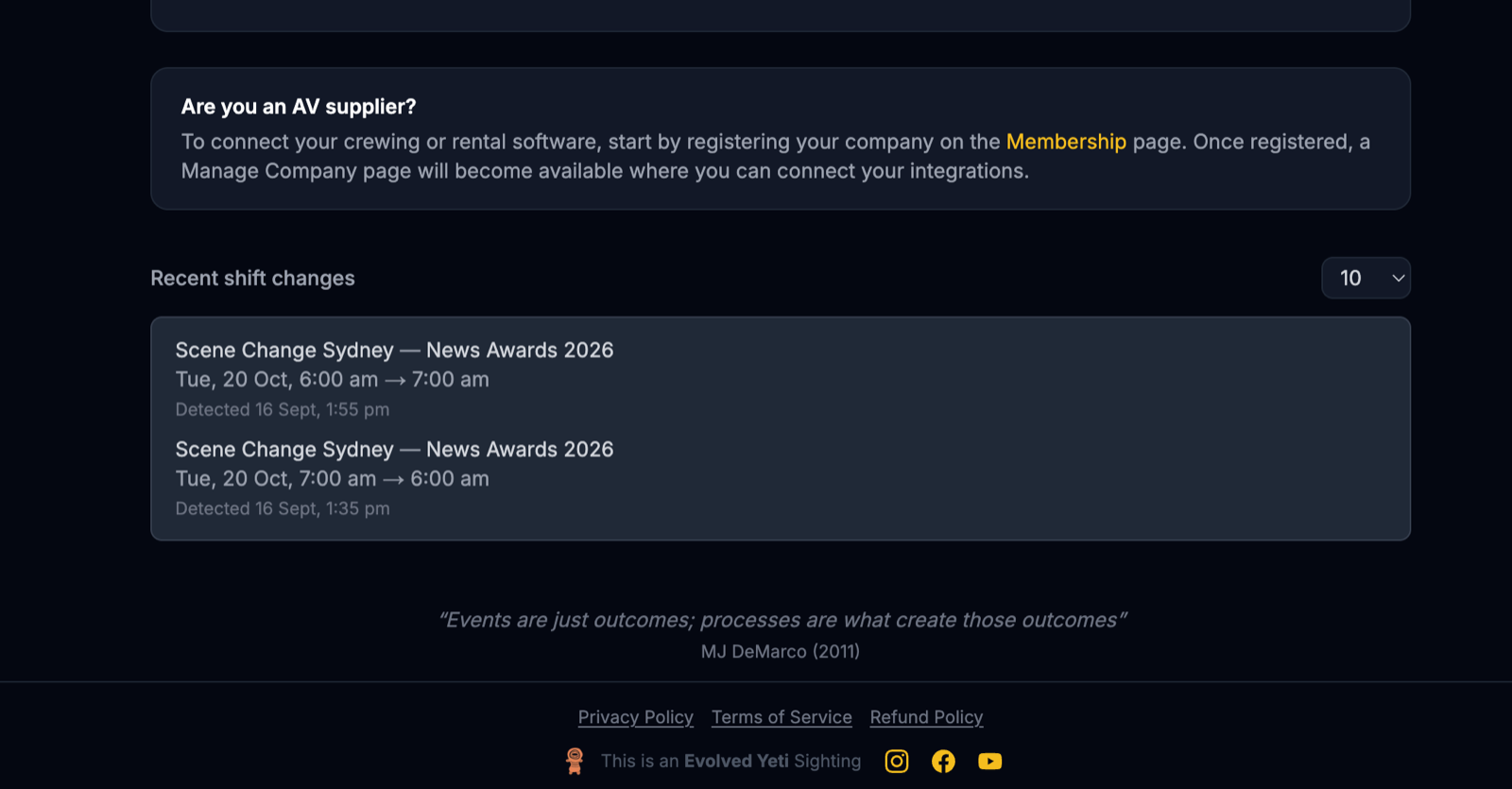
A log on your calendar-sync page. Under your connections there's now a "Recent shift changes" list — every change, newest first, with the old times, the new times and when it was detected. Show 10, 25, 50 or 100. If a company says "it was always an 8am start", you have the receipt.
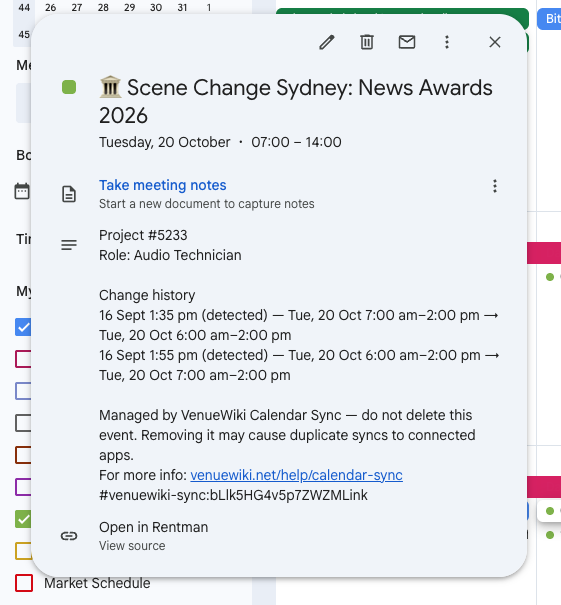
The history inside the event itself. Open a synced shift in Google Calendar and there's a "Change history" section under the job details, listing every move that shift has made. That one's always on — no bell needed — so the record travels with the event, not with an email you have to search for.
The fine print
The bell is per company — watch the ones that do this, ignore the ones that don't. Rentman and Humanity emails say "Detected" rather than "Changed", because those systems don't tell us when the edit was made. Deputy hasn't been run on a live account yet — if something looks off, tell us. Existing events pick up their history the first time they move.
Turn the bell on.
Swipe, tap a bottle on the shelf, or use the arrow keys to move along the shelf.